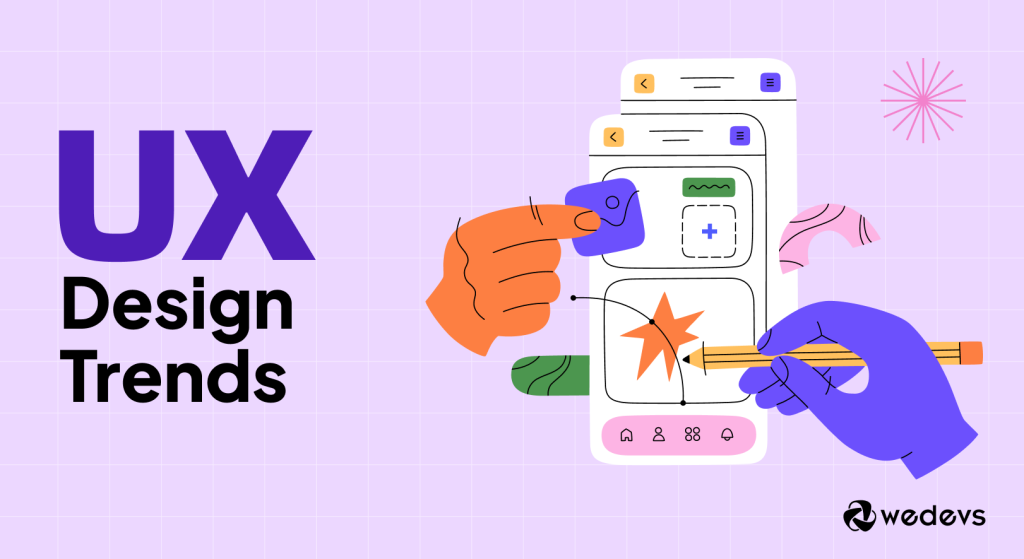
Let’s face it: If you’re still designing your website based on what looked “trendy” a year ago, you’re already behind. In 2026, User Experience (UX) isn’t just a department; it’s the invisible engine that determines your conversion rate, search visibility, and customer loyalty.
Users aren’t just looking for content; they’re demanding seamless, personalized, and emotionally intelligent interactions. Anything less feels like friction, and friction is where profit goes to die.
At NiCREST, we believe great UX design is the strategic bridge between your business goals and your customer’s needs. It’s time to move past pretty layouts and embrace the modern, tech-forward imperatives shaping the digital world.
Here are the 12 most critical UX trends you must adopt to stay competitive, relevant, and profitable.
The Foundation: Essential Shifts in Interface & Interaction
These are the core design principles that dictate trust and usability in every modern digital product.
1. AI-Driven Hyper-Personalization
This is the big one. UX is shifting from a single static experience to a dynamic, adaptive interface. AI analyzes user behavior in real-time (e.g., location, past clicks, time of day) to change the content, product recommendations, or even the layout of the page just for them.
- The UX Takeaway: Design systems must be fluid and modular, allowing AI to swap out components without breaking the visual hierarchy.
2. Mobile-First is Dead; Thumb-First UX is King
The “mobile-first” approach (designing for a phone screen) is now the absolute minimum requirement. Today, great mobile UX means designing for the thumb. Critical CTAs and navigation elements must be within easy, single-handed reach—often in the bottom third of the screen.
- The UX Takeaway: Test every interaction by holding your phone normally. If you have to stretch your thumb, you’ve introduced friction.
3. Ethical & Transparent Design (Privacy by Default)
Following global privacy regulations (GDPR, CCPA) is now a core part of UX. Users are highly sensitive about their data. Design must be ethically sound, avoiding “dark patterns” that trick users into sharing information.
- The UX Takeaway: Make your consent forms, privacy policies, and data usage explanations clear, simple, and accessible. Transparency builds trust, and trust drives conversion.
4. Adaptive Dark Mode as a Standard Feature
Dark mode is no longer a novelty; it’s an expectation. Offering an optional dark theme reduces eye strain, conserves battery on OLED screens, and provides a sleek, premium aesthetic.
- The UX Takeaway: Implement a toggle or, better yet, design your site to auto-adapt to the user’s operating system preferences for a seamless handover.
The Aesthetic & Engagement: Using Visuals to Deepen Connection
Modern design uses visuals not just to look good, but to direct attention and encourage interaction.
5. Bento Box Layouts & Card Interfaces
Say goodbye to cluttered sidebars and endless text blocks. The “Bento Box” (or grid-based card layout, popularized by major tech companies) organizes information into distinct, bite-sized, visually appealing modules.
- The UX Takeaway: This approach provides visual relief, aids scannability, and clearly prioritizes content, making complex information digestible.
6. Subtle Motion & Micro-Interactions
Over-the-top animations are out. Subtle micro-interactions (a button lighting up, a tiny shimmer on a hover, a satisfying checkmark upon form submission) provide instant, delightful feedback.
- The UX Takeaway: These small design cues reduce perceived loading time, convey system status, and add emotional resonance, turning a functional interaction into an enjoyable one.
7. Glassmorphism 2.0 & Depth
The flat design era is being replaced by designs that embrace subtle depth, shadows, and translucency. Glassmorphism uses frosted glass effects to create visual hierarchy, layering elements over backgrounds without completely obscuring them.
- The UX Takeaway: This trend adds sophistication and helps users understand which elements are interactive and which are background information.
8. Accessibility as a Creative Constraint (WCAG Compliance)
Designing for users with disabilities (following WCAG standards) is no longer an afterthought—it’s a massive design trend. Why? It forces designers to focus on extreme clarity, high contrast, proper semantic structure, and keyboard navigation.
- The UX Takeaway: When you design for the most limited user (e.g., a screen reader user), you improve the experience for everyone (e.g., better SEO, clearer content).
The Strategy: Efficiency, Simplicity, and Future-Proofing
These trends focus on how the overall experience is structured and optimized for speed and clarity.
9. Extreme Visual Hierarchy & Minimalism
With shrinking attention spans, you must prioritize ruthlessly. Minimalist design is back, not just as an aesthetic, but as a discipline. It’s about using ample white space to aggressively focus the user’s eye on the most critical message or Call-to-Action.
- The UX Takeaway: Remove everything that doesn’t serve a specific purpose. If your primary CTA isn’t the most dominant element on the page, you’re losing money.
10. Voice User Interface (VUI) Optimization
As smart devices and generative search grow, more users interact with content conversationally. UX now includes anticipating natural language queries and designing the information architecture to support voice assistants.
- The UX Takeaway: Design your content not just for scanning eyes, but for clear, audible responses. The future involves talking to your website.
11. Immersive Scrollytelling & Narrative Content
For landing pages and brand storytelling, users want an engaging narrative. Scrollytelling uses animated, dynamic elements that change as the user scrolls, turning a static page into a guided, cinematic experience.
- The UX Takeaway: Use this technique selectively for high-value emotional connections (like “About Us” or product launch pages) where engagement matters more than quick conversion.
12. Focus on Perceived Performance (Speed)
In the age of instant-gratification, a fast site is a conversion requirement. UX designers must use techniques like skeleton screens, progressive loading, and strategically placed Lottie animations to make the site feel faster, even before all assets have loaded.
- The UX Takeaway: The “perceived speed” (what the user thinks they are waiting for) is more important than the actual measured speed.
Stop Chasing Trends. Start Setting the Pace.
The common thread across all these modern trends is this: The digital experience must adapt to the user, not the other way around. Whether it’s through ethical personalization, mobile optimization, or AI-driven clarity, your design must reduce friction and earn trust immediately.
Are your competitors leveraging AI to hyper-personalize their experience? Is your mobile UX leaving a fortune on the table? If your current website is built on last year’s ideas, it’s time for a strategic overhaul.
The NiCREST team specializes in engineering these high-performance, future-proof digital experiences for businesses ready to dominate their niche. We don’t just follow trends—we integrate them into a custom conversion strategy.
Ready to upgrade your website from a brochure to an intelligent growth engine?
Let’s talk strategy. Reach out to me and the NiCREST team today for a complimentary consulting session on how to transform your digital presence using the latest UX and AI automation best practices.