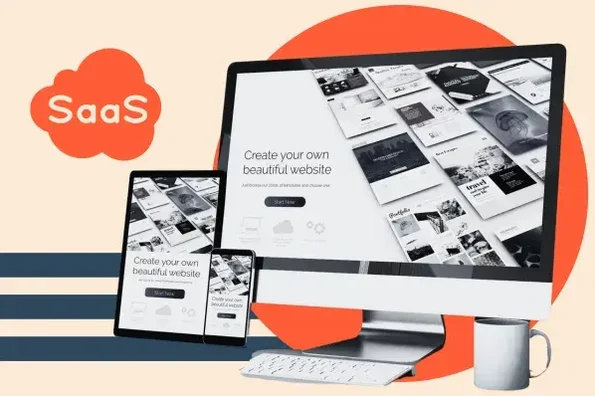
Let’s face it: Your SaaS website isn’t just a digital brochure; it’s your most critical salesperson and onboarding tool. It must convince a highly sophisticated audience—often busy technical buyers or budget-conscious entrepreneurs—to trust you with their data, their time, and their money.
The best SaaS websites today move past flashy animations and focus on ruthless clarity, psychological triggers, and a seamless path to proof-of-value (the free trial or demo).
As NiCREST experts who specialize in UX/UI design and digital strategy for high-growth businesses, we know that great design reduces friction, builds authority, and accelerates the sales cycle.
Ready to transform your SaaS site from a cost center into a powerful conversion engine? Here are 10 essential design principles defining success in the modern digital landscape.
Phase 1: Clarity and Value Communication
The user must understand the “Aha!” moment instantly.
1. The Ultra-Specific Value Proposition (V-P)
- The Old Way: Generic headline like “The Future of Business Tools.”
- The Modern Principle: The headline must state what the software does, who it’s for, and the ultimate benefit/result—all above the fold. For example: “Cut Accounting Time by 50% for Solo Freelancers with Our AI Bookkeeping App.”
- Design Implementation: The V-P must be instantly readable (high contrast, large font), supported by a single, powerful hero image or short video showing the product in action, not just a floating screenshot.
2. Immediate Proof and Social Validation
- The Old Way: A generic testimonial page nobody clicks.
- The Modern Principle: Authority must be woven into the fabric of the hero section. Users are skeptical, so they look for proof immediately.
- Design Implementation: Include a rotating trust bar showing logos of recognizable clients, a clear star rating (4.8/5 stars), and a quantifiable statistic (e.g., “Trusted by 10,000+ Teams” or “10M hours saved last year”).
3. Frictionless Path to the Conversion Goal
- The Old Way: The CTA button gets lost in complex navigation.
- The Modern Principle: The Primary Call-to-Action (CTA) must be the visual anchor of the page, guiding the user to the low-commitment trial/demo.
- Design Implementation: Use a sticky CTA button in the header that follows the user as they scroll. The button should use actionable, benefit-driven copy (“Start Free Trial,” “Book My Personalized Demo”), not generic terms (“Submit,” “Learn More”).
Phase 2: Trust, Security, and Data Empathy
SaaS requires a higher level of trust, especially regarding data.
4. Radical Transparency on Pricing
- The Old Way: Hiding pricing behind a “Contact Sales” button.
- The Modern Principle: Unless you are targeting large enterprise contracts, clear, comparative pricing is a massive trust signal. Hidden pricing creates immediate friction and distrust.
- Design Implementation: The Pricing Page must be scannable, clearly outlining features per tier, with obvious comparison points and no hidden fees. Use engaging UX elements like toggle switches (“Monthly vs. Annual”) and visually highlighting the “Best Value” or most popular tier.
5. Dedicated Security and Compliance Pages
- The Old Way: A tiny privacy policy link in the footer.
- The Modern Principle: Data security is a major purchasing factor. SaaS sites must address security and compliance head-on.
- Design Implementation: Prominently feature security badges (SOC 2, GDPR Compliant, ISO 27001) near conversion points. Create a dedicated, easy-to-read “Trust Center” or “Security” page with clear explanations of data encryption, uptime, and privacy practices.
6. The Feature-to-Benefit Narrative
- The Old Way: Listing 50 features in bullet points.
- The Modern Principle: Every feature description must be immediately translated into a tangible user benefit. Users don’t buy drills; they buy holes.
- Design Implementation: Use a clean, sectioned design where the headline names the Benefit (“Stop Wasting Time on Invoicing”) and the subtext names the Feature (“Automated, recurring invoice generation in 3 clicks”). Use visual metaphors or short animations to illustrate the benefit.
Phase 3: Engagement and Scalability
Designing for growth, efficiency, and a great user experience.
7. Video-First Product Education
- The Old Way: Relying solely on text documentation.
- The Modern Principle: Short, high-quality, professional explainer videos are the fastest way to communicate the product’s interface and value.
- Design Implementation: Embed a 90-second explainer video near the top of the homepage and feature bite-sized tutorial videos on feature pages. Ensure the video player integrates seamlessly and loads quickly (CWV compliance).
8. Designing for Content Authority
- The Old Way: A standard blog that looks disconnected from the main site.
- The Modern Principle: The content hub (blog/guides) must be designed to feel like an extension of the product, establishing the brand as a thought leader and subject matter expert (E-A-T).
- Design Implementation: Maintain consistent branding, typography, and site structure between the marketing site and the blog. Feature high-value guides and resources prominently, using them as lead magnets for conversion funnels.
9. Clear Industry and Use Case Segmentation
- The Old Way: Trying to speak to everyone at once.
- The Modern Principle: Segmentation allows you to make the product feel custom-built for the visitor’s specific needs.
- Design Implementation: Use clear navigation or hero links to let users self-select their role (“I am a [Freelancer] / [Agency] / [Enterprise]”). The site then dynamically loads relevant testimonials, pricing tiers, and case studies for that specific segment.
10. Accessibility (A11y) as a Quality Standard
- The Old Way: Accessibility was an afterthought.
- The Modern Principle: Designing for accessibility (WCAG compliance) is a fundamental indicator of quality, professionalism, and user empathy.
- Design Implementation: Ensure high color contrast, clear keyboard navigation, descriptive ALT text, and proper heading hierarchy. An accessible design is a well-engineered, trustworthy design.
The NiCREST Bottom Line: Design for Dialogue and Demo
The best SaaS websites don’t just exist; they perform. They are meticulously engineered to eliminate cognitive load, build immediate trust, and guide the user seamlessly toward proving the software’s value via a trial or demo. This strategic blend of psychology, UX, and technical execution is what turns visitors into high-value subscribers.